How to Sign Up with MuckRock
Create a Wire account using your existing MuckRock login. Your name, email, and any newsroom organizations you belong to come across automatically. Signing up this way takes about a minute.
Don't have a MuckRock account?
If you don't already use MuckRock, sign up with your email address instead. See How to Sign Up with Email.
Before You Begin
You will need:
- An existing MuckRock account you can sign in to
Instructions
-
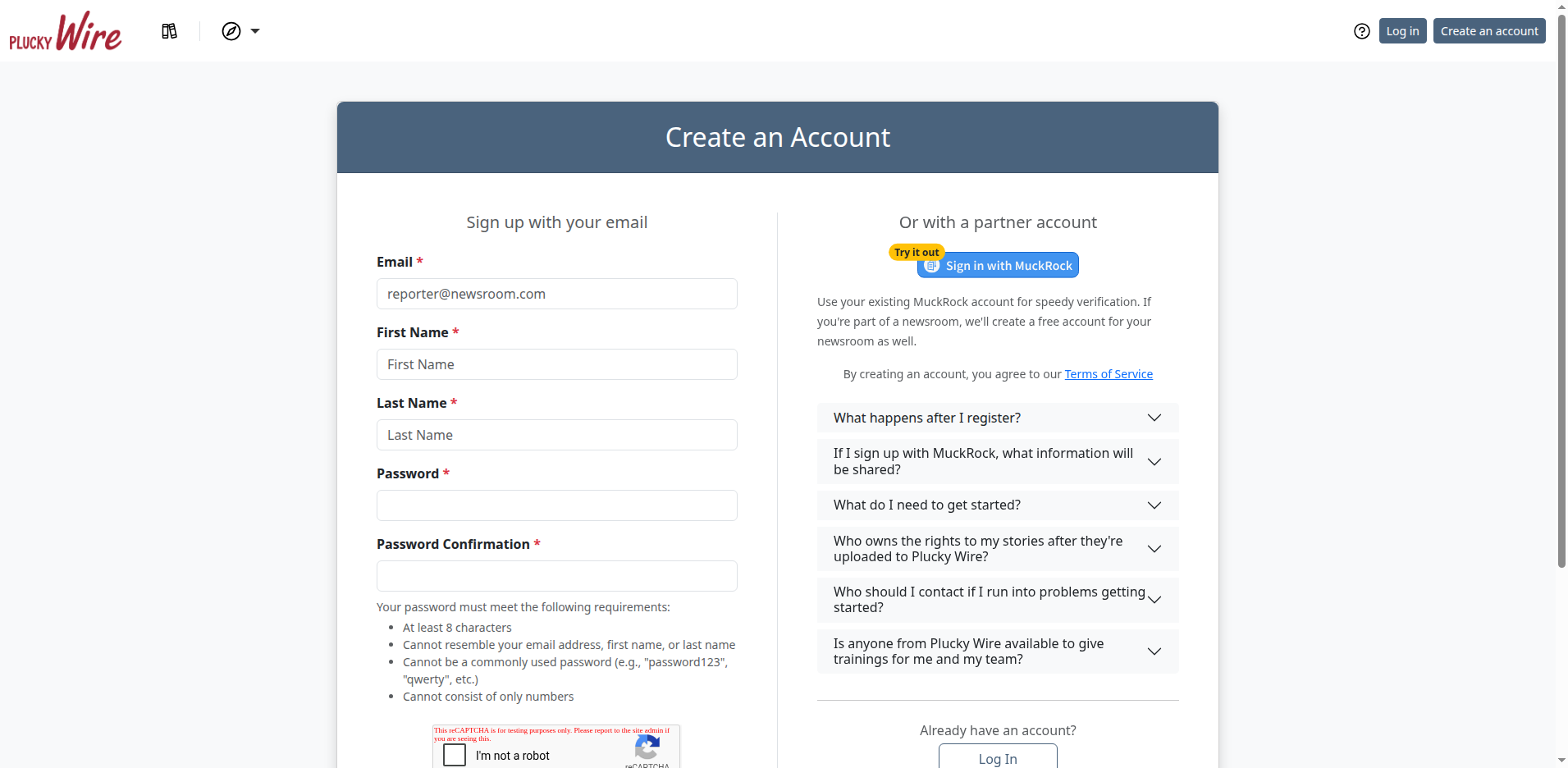
Go to https://wire.pluckyworks.org and click Create an Account.
-
Click Sign in with MuckRock in the right-hand column.
-
If you are not already logged into MuckRock, enter your MuckRock credentials on the MuckRock login page that appears.
-
Confirm that you want to share your account information with Wire.
-
Wait for the redirect back to Wire.
You will be signed in automatically to your new account.
What Happens Next
When you sign up through MuckRock, Wire automatically imports:
- Your name and email address from your MuckRock profile, which has already been verified. You don't need to do a separate email verification step.
- Any news organizations you belong to on MuckRock. Each one becomes an Outlet in Wire, your news organization on the platform.
If MuckRock already lists an Outlet for you, your next step is to join a Group, the collection of Outlets you share stories with. If MuckRock doesn't have your organization, you'll connect it manually first.
Next Steps
- Join an Outlet: only if MuckRock didn't import one for you
- Join a Group: start sharing stories with other Outlets
Running a news collaborative?
If you help run a news collaborative, you don't need to join an Outlet. Your next step is to create a Group. See How to Start a Group.
Troubleshooting
-
"Integration with MuckRock failed" error: This usually indicates a temporary connection issue. Wait a few minutes and try again.
-
Redirected back to MuckRock login repeatedly: Make sure your browser accepts cookies from both MuckRock and Wire. Try clearing your browser cache or using a private/incognito window.
-
Logged into the wrong account: If you have multiple MuckRock accounts, log out of MuckRock first, then start the sign-up process again so you can pick the right one.
-
My existing Wire account wasn't linked: If you already have a Wire account with the same email address as your MuckRock account, the accounts should link automatically when you first sign in with MuckRock. If this didn't happen, check that both accounts use exactly the same email address.
-
My organization wasn't imported: Individual MuckRock accounts (not tied to an organization) are not imported as Outlets. If you belong to an organization on MuckRock but don't see it in Wire, it may be awaiting verification (see the next entry).
-
My organization shows as "pending verification": Organizations that aren't categorized as "newsrooms" in MuckRock's system require manual verification by Plucky staff. This can take 1-2 business days. The verification process confirms that your newsroom does some level of original reporting. If we have questions about your Outlet, we'll email you before making a decision. You'll receive an email once your Outlet is verified.
-
Still stuck? Email support@pluckyworks.org for help.