How to Join a Group
Join an existing content-sharing Group (a collection of Outlets that have agreed to share stories with each other) so your Outlet can browse, download, and contribute to the wire. Joining takes a few minutes, and you can leave again at any time from your settings.
Starting a new Group instead?
If your collaborative doesn't exist on Wire yet, see How to Start a Group. This page is for joining a Group that someone has already set up.
Before You Begin
You will need:
- A Wire account (see Sign up with email)
- A verified Outlet (see How to Join an Outlet): your Outlet must be approved by Plucky staff before you can finish joining a Group
- Either the name of the Group you want to join, or a signup link from one of its administrators
Note
If a Group administrator already sent you a signup link, skip ahead to Use a Signup Link. The link bypasses the Group directory and takes you straight into the signup wizard.
Instructions
Find the Group in the Directory
-
Log in at https://wire.pluckyworks.org.
-
From your dashboard, click Browse Available Groups. (If you already belong to one or more Groups, the same page is reachable from the Explore Groups button at the top of your dashboard.) This opens the Find Groups page, Wire's directory of publicly listed Groups.
-
Search by name, or scroll the directory until you spot the Group you want.
-
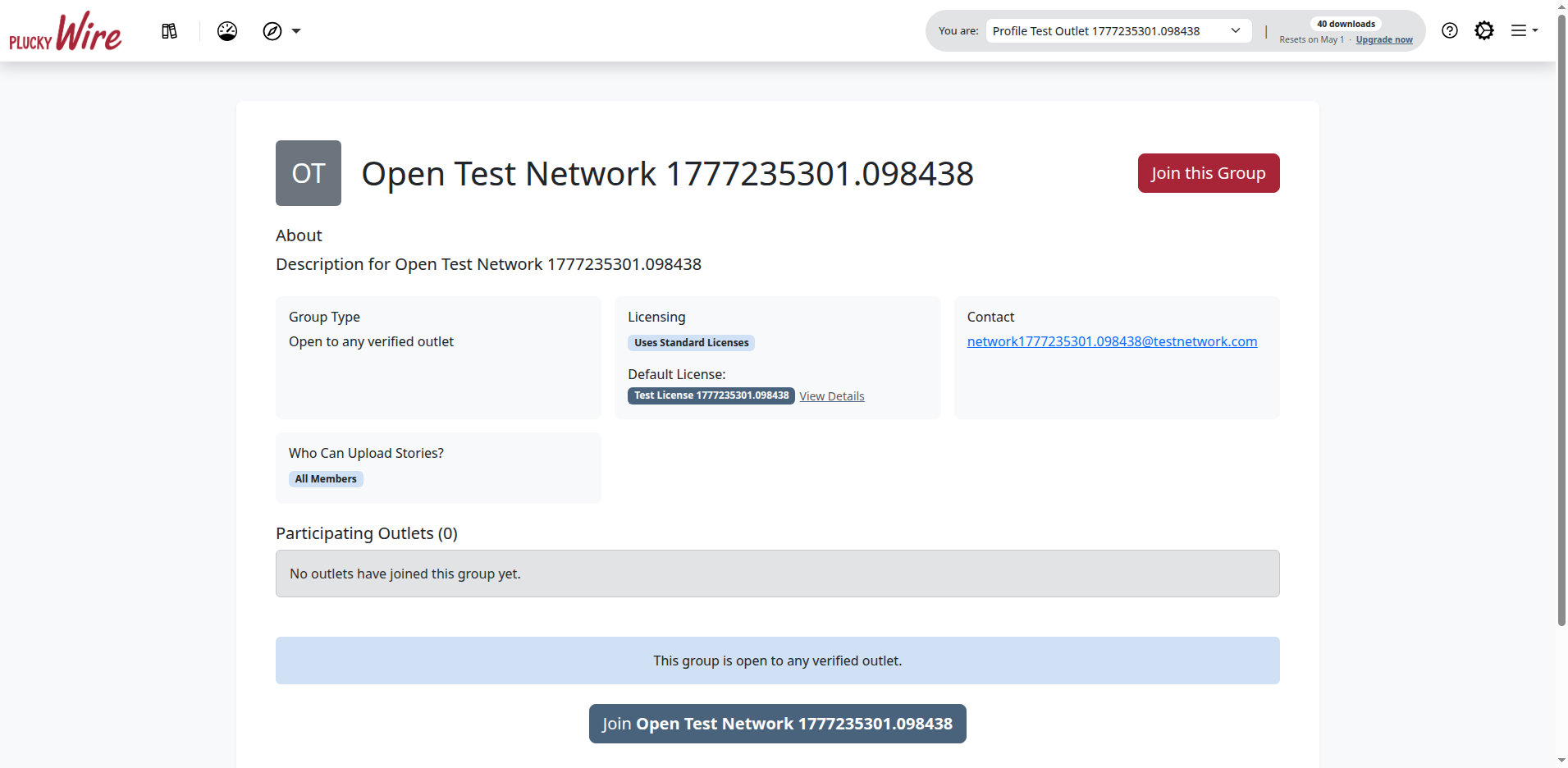
Click the Group's tile to open its public profile. The profile shows a description, the Outlets already in the Group, and the join button.
Send Your Join Request
-
Click Join this Group or Apply to Join in the right-hand panel of the profile page.
- Join this Group appears for Open Groups. You'll be added the moment you accept the terms in the next step.
- Apply to Join appears for Closed Groups. Your request goes to the Group's Owners and Moderators for review, and you'll receive an email when it's approved.
-
On the Select Your Outlet screen, find the Outlet you want to represent in this Group and click Select next to its name. You'll see this screen even if you only belong to one Outlet.
-
Review the Group's content License (the legal terms governing how stories shared in the Group can be republished) and the Wire Terms of Service. Check both boxes to accept the License and the Terms of Service.
-
Click Complete Signup.
Use a Signup Link
If a Group administrator shared a signup link with you, the link runs the same wizard as the directory path above, but skips the search step.
-
Log in at https://wire.pluckyworks.org.
-
Open the signup link in the same browser.
-
On the Select Your Outlet screen, click Select next to the Outlet you want to represent in this Group.
-
Check both boxes to accept the content License and the Wire Terms of Service.
-
Click Complete Signup.
What Happens Next
What you see, and what other people see, depends on whether the Group is Open or Closed.
- Open Groups: You're added immediately. The Group appears on your dashboard, and your Outlet shows up on the Group's public profile. Every other Outlet in the Group can now see and download stories you upload.
- Closed Groups: Your request is queued for review. The Group's Owners and Moderators get an email notification, and the join button on the Group's profile changes to a Request Pending badge for you. When an administrator approves the request, you'll get an email and the Group will appear on your dashboard.
In both cases, joining a Group does not automatically publish anything: your existing stories are not shared retroactively. New stories you upload from this point on become visible to the Group, subject to the License terms you accepted.
Next Steps
- Upload a story: Share your reporting with the rest of the Group
- Find stories to download: Browse what other Outlets in the Group have uploaded
Troubleshooting
-
After clicking Join this Group, I'm told my Outlet is under review. Joining a Group requires an Outlet that Plucky staff have approved. If your Outlet is still pending, you'll need to wait for verification (typically 1–2 business days). Wire will email you once your Outlet is approved, and your join request will be picked up automatically.
-
My signup link doesn't work. Signup links can be revoked or expire. Ask the Group administrator who sent the link to generate a new one.
-
I can't find the Group I'm looking for. Some Groups are not publicly listed in the directory. If you can't find a Group by name, contact the Group's administrator and ask them to send you a signup link.
-
My application has been pending for days. Closed Groups review each request manually, so a delay is normal. Look up the Group on the directory and use the contact email shown on its public profile to follow up.
-
I joined with the wrong Outlet. Outlet associations within a Group can be changed by a Group administrator. Contact one of the Group's Owners or Moderators (their names are listed on the Group's profile) and ask them to switch your Outlet association.
-
Still stuck? Email support@pluckyworks.org, or ask a colleague at your Outlet who has joined a Group before.