How to Join an Outlet
Join an existing Outlet (a news organization on Wire) or register a new Outlet for your own newsroom. Joining your first Outlet takes about five minutes once you know its name.
Setting up a brand-new newsroom?
If your newsroom isn't on Wire yet and you have to register it from scratch, follow the second half of this page, If Your Outlet Isn't in the Search Results.
Before You Begin
You will need:
- A Wire account (see Sign up with email or Sign up with MuckRock)
- The name of the Outlet you want to join, or the basic details of a new Outlet you want to register (website, contact email)
Instructions
Open the Join an Outlet page
-
Log in at https://wire.pluckyworks.org.
-
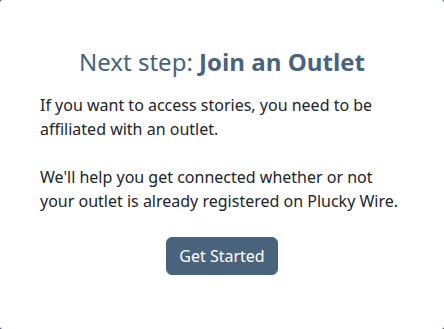
On the dashboard, find the Next step: Join an Outlet card and click Get Started.
-
In the search box, type the name of your Outlet and click SEARCH.
What you do next depends on whether your Outlet is already registered on Wire.
If Your Outlet Appears in Search Results
-
Find your Outlet in the search results.
-
Click Request to Join.
Info
If your email domain matches the Outlet's website domain, you're added automatically. Otherwise, an administrator at the Outlet (or Plucky staff) needs to approve your request before you have access.
If Your Outlet Isn't in the Search Results
If no Outlets match your search, you can register your newsroom yourself.
-
After searching, scroll to the Register Your Outlet form. If results were found but none match, click Register [your search query] to expand the form.
-
Fill out the registration form. Three fields are required, two are optional but worth filling in.
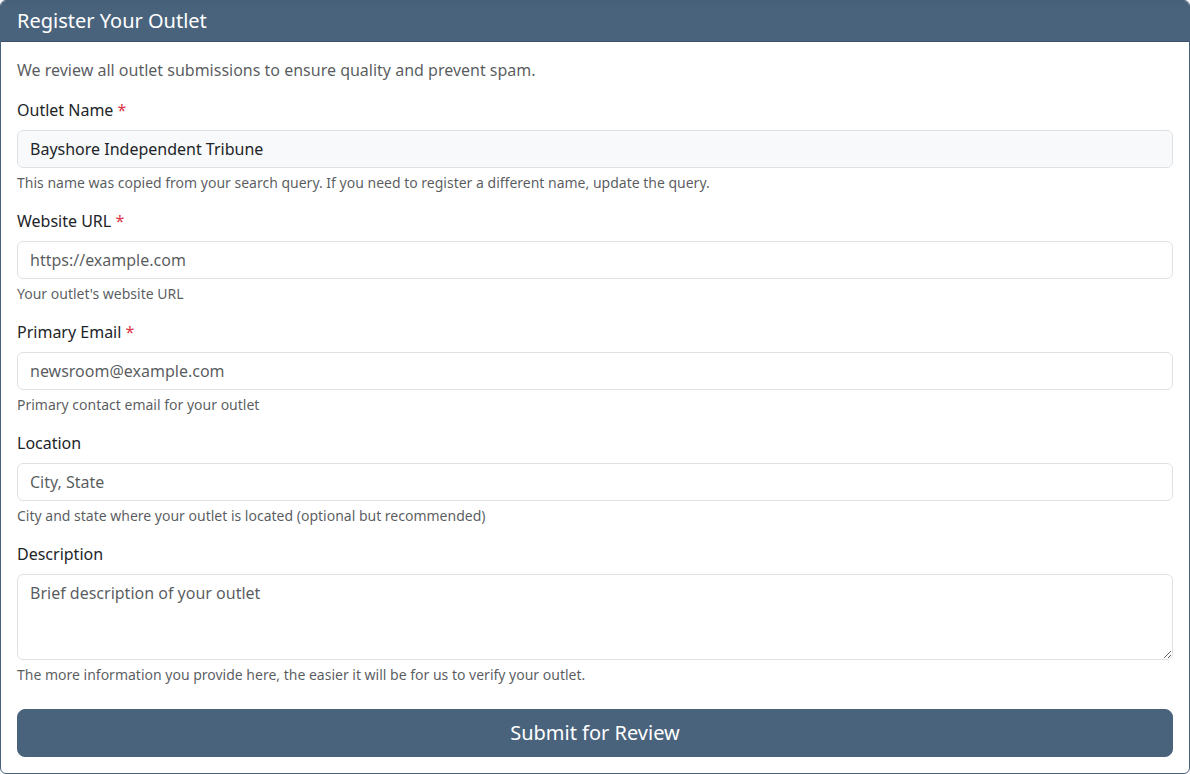
Field Required? What to enter Outlet Name Required Pre-filled from your search query and read-only. If the name is wrong, go back and search again. Website URL Required Your newsroom's main website. Plucky staff use this to verify the Outlet produces original reporting. Primary Email Required A contact email for your newsroom, typically a shared inbox like news@yourpaper.org.Location Optional The city, region, or coverage area your newsroom serves. Description Optional A short paragraph about your newsroom. Helps other Outlets recognise you when they see you in a Group. -
Click Submit for Review.
What Happens Next
If you joined an existing Outlet and the auto-approval kicked in (matching email domain), you have access immediately and the Outlet appears in your dashboard.
If your request needs approval, an administrator at the Outlet receives an email and has to approve you before you appear as a member. You'll receive an email when they do, or when Plucky staff step in to help if no administrator responds.
If you registered a new Outlet, Plucky staff review it to confirm it's a working newsroom that produces original reporting. Verification typically takes 1–2 business days. You can sign in and look around in the meantime, but your Outlet can't join Groups or upload stories until verification finishes. If staff need more information, they'll email you before deciding.
Next Steps
- Join a Group: Once your Outlet is verified, join a content-sharing Group to start finding and sharing stories
- Manage members at your Outlet: Invite colleagues from your newsroom (Outlet administrators only)
Troubleshooting
-
I can't find my Outlet: Try searching for variations of the name (with or without "The", abbreviations, parent organization). If you still can't find it, your Outlet may not be registered yet. Use the registration form to add it.
-
My request to join an Outlet is still pending: Outlet administrators receive an email when someone requests to join. If your request has been pending for more than a day, reach out to a colleague at your Outlet who is already on Wire and ask them to approve you. If no one at your newsroom is on Wire yet, contact Plucky staff and we'll step in.
-
My Outlet is pending verification: New Outlets are reviewed by Plucky staff before they can join Groups or upload stories. This typically takes 1–2 business days. All we check for is whether your newsroom produces original reporting. You'll receive an email when verification is complete.
-
I joined the wrong Outlet: Go to Settings (https://wire.pluckyworks.org/settings/), select the Outlet from the sidebar, and open the Users tab. Find your name and click Remove. If the Outlet doesn't appear in your Settings sidebar, your role is Member and you can't remove yourself. Ask an administrator at the Outlet to remove you, or contact Plucky staff.
-
Still stuck? Email support@pluckyworks.org and we'll help you sort it out.