How to Sign Up with Email
Create a new Wire account using your email address, the simplest way to register. Signing up takes about a minute, plus a quick check of your inbox.
Were you invited to Wire?
If someone sent you an invitation email, follow How to Sign Up with an Email Invitation. If they shared a signup URL (typically starting with https://wire.pluckyworks.org/network-signup/...), follow How to Sign Up with a Signup Link. Both flows handle the verification step for you.
Prefer to watch?
The Plucky Works YouTube channel has a growing library of video tutorials covering sign-up and getting started.
Before You Begin
You will need:
- A valid email address
- Access to your email inbox (for verification)
Instructions
Create Your Account
-
Go to https://wire.pluckyworks.org and click Create an account.
-
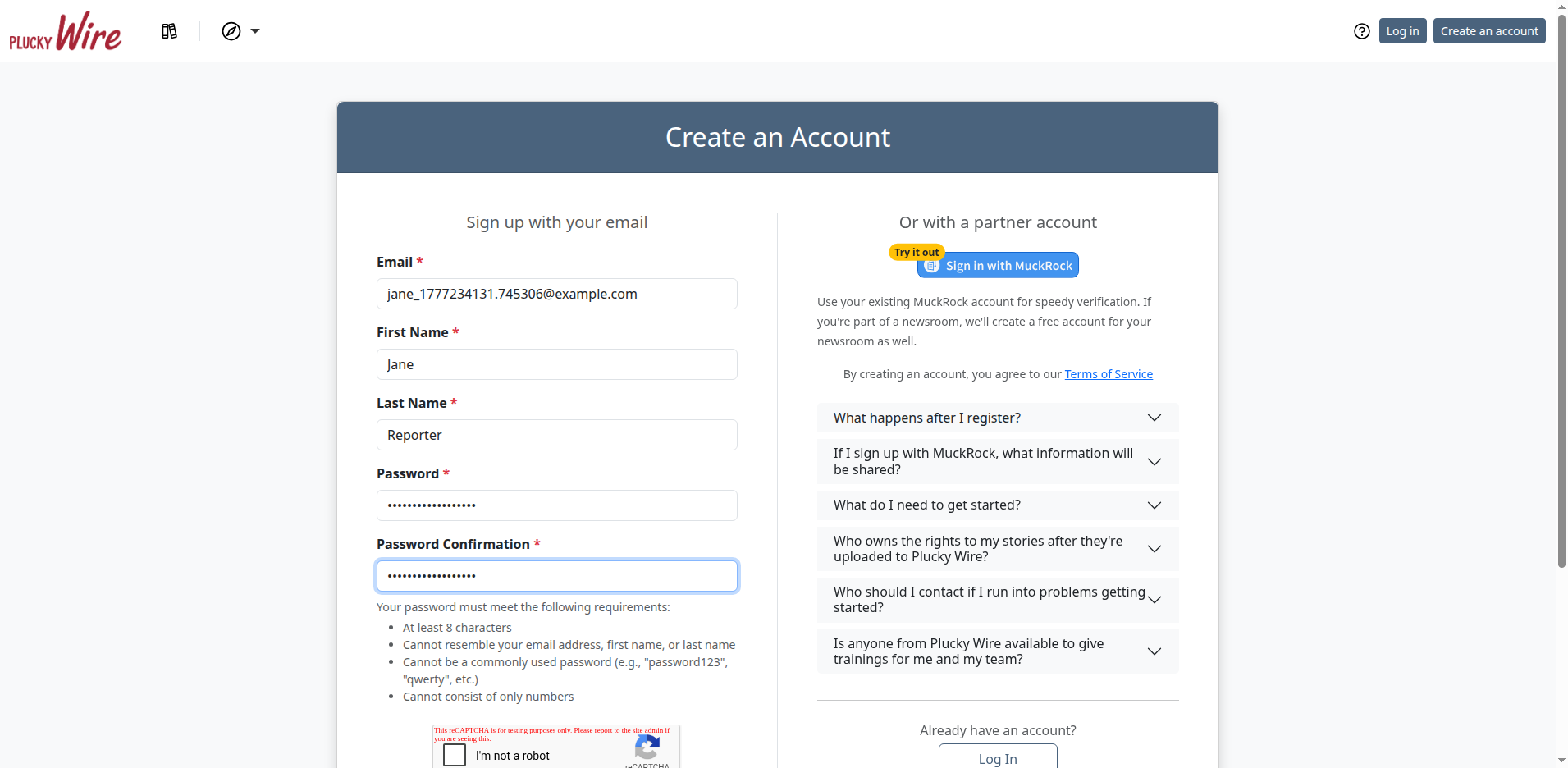
Fill in the registration form:
- Your email address
- Your first and last name
- A password, entered twice (in both Password and Password Confirmation)
- Your Time zone, suggested by your browser. To change it, type a city or time zone and choose a suggestion. You can leave this optional field blank.
- The CAPTCHA verification, a checkbox (occasionally a short image puzzle) that confirms you're a real person and not a bot
-
Click Create Account.
Verify Your Email
-
Open your email inbox and look for a message from Wire.
-
Click the verification link in the email.
The link signs you in automatically and confirms your account.
What Happens Next
Your account is now active and you're signed in. Before you can upload or read stories, you'll need to connect your account to an Outlet (your news organization on Wire) and join a Group, the collection of Outlets you share stories with.
Next Steps
- Join an Outlet: connect your account to your news organization
- Join a Group: start sharing stories with other Outlets
Running a news collaborative?
If you help run a news collaborative, you don't need to join an Outlet. Your next step is to create a Group. See How to Start a Group.
Troubleshooting
-
I didn't receive a verification email: Check your spam or junk folder first. If it still hasn't arrived after a few minutes, sign in at https://wire.pluckyworks.org. Wire will detect your unverified account and offer to send a new verification link.
-
My email address is already registered: You may have created an account previously. From the login page, click Forgot your password? to regain access.
-
The verification link doesn't work: Verification links can expire or become invalid if used twice. Sign in with your email and password. You'll be prompted to send a fresh link.
-
Still stuck? Email support@pluckyworks.org for help.